

Thunder VPN extension searches come from people who want quick privacy inside Chrome or another desktop browser. It makes sense, as extensions install in seconds and sit right next to the address bar. The Thunder VPN most people know, however, is an Android app rather than a browser add-on.
Extensions that use similar names may come from different publishers, and browser extensions work differently from a full VPN app. This article explains those differences, what to check in an extension store and how to keep your browsing private without unnecessary risk.
How Browser VPN Extensions Differ from VPN Apps
A VPN app on Android routes traffic from every app on the phone through an encrypted tunnel. Most browser extensions act as proxies instead, covering only the traffic of that one browser. Some encrypt the connection to the proxy, while others mainly change your apparent location.
| Feature | VPN app on Android | Typical browser extension |
|---|---|---|
| Traffic covered | All apps on the device | Only the browser it is installed in |
| Setup | Android VPN permission | Browser extension permissions |
| Other programs | Covered while connected | Not covered |
| Typical use | Full device privacy | Quick location change for websites |
What to Check Before Installing Any Extension
Extensions can request powerful permissions, such as reading and changing data on every website you visit. A VPN or proxy extension needs some of these to work, which is exactly why the publisher behind it must be trustworthy.
- The publisher name and whether it links to a real website
- Number of users and review history in the official store
- Permissions listed on the extension’s store page
- A privacy policy that explains logging and data sharing
- Recent updates rather than a long-abandoned listing
Only install extensions from the browser’s official store. Files offered on download sites can be modified to inject adverts or collect browsing history.
Signs an extension is not what it claims
Watch for extensions that copy a familiar logo but list an unknown publisher, ask for permissions unrelated to networking, or open new tabs with adverts. Reviews mentioning redirects or search engine changes are another strong warning sign.
Using Thunder VPN Alongside Your Browser
On an Android phone, the simplest approach is to connect Thunder VPN and then use any browser. Chrome, Firefox and others will all send traffic through the VPN while it is active, with no extension required.
On a computer, an emulator can run the Android app, but it does not cover your desktop browser. Our article on Thunder VPN for PC explains that limitation in detail and suggests better options for full-computer protection.
Reading Extension Permissions Properly
The permission list on an extension’s store page tells you what it can do once installed. A proxy extension typically needs to manage proxy settings and may read data on websites you visit. Anything beyond networking deserves a closer look.
| Permission | Normal for a VPN extension? |
|---|---|
| Control proxy settings | Yes, required to route traffic |
| Read and change data on all websites | Common, but trust the publisher |
| Read browsing history | Rarely needed, be cautious |
| Manage downloads or other extensions | Unusual, avoid if unexplained |
Browsers let you limit some extensions to specific sites or to run only when clicked. Using those controls reduces what an extension can see when you are not actively using it.
Keeping Your Browser Private Without an Extension
Modern browsers include privacy tools that work without any add-on. Tracking protection, secure DNS and HTTPS-only modes all reduce what networks and websites can learn about you. Combined with a phone VPN, they cover most everyday browsing needs.
- Enable HTTPS-only or always-secure connection settings
- Turn on enhanced tracking protection
- Clear cookies regularly or use private windows for sensitive tasks
- Remove extensions you no longer use
On Android, connecting Thunder VPN before opening the browser gives you encrypted transport for every site, while these browser settings handle tracking and cookies. Together they give stronger results than an unknown extension alone.
Removing an Extension You Are Unsure About
Open your browser’s extensions page, switch the extension off and choose Remove. Then check your search engine and home page settings, since some unwanted extensions change them. Clearing cookies afterwards removes any tracking data the extension may have left behind.
Thunder VPN Extension Myths
Search results often blend app, extension and desktop terms together, which creates a few common misunderstandings. Clearing them up makes it easier to choose the right tool for each device.
- An extension does not protect apps outside the browser
- A familiar icon does not prove the same publisher
- Installing the Android app does not add a desktop extension
- A free extension still needs a way to pay for its servers
Keeping these points in mind helps you judge any listing on its own merits rather than its name. When in doubt, the official Android app remains the clearest way to use Thunder VPN.
Browser extension stores remove listings that break their rules, so a listing that suddenly disappears is a good reason to uninstall that extension from your browser as well.
Checking your installed extensions every few months is a simple habit that keeps your browser lean and private. Remove anything you do not recognise, and reinstall only from official stores with a clear publisher behind them.
Frequently Asked Questions
Thunder VPN is mainly offered as an Android app. Check any extension’s publisher carefully before assuming it is connected to the same service.
No. They usually cover only the browser, and some focus on changing location rather than encrypting everything.
Yes. Routing through a proxy adds a step, and poorly built extensions can also use extra memory.
Conclusion
Thunder VPN extension listings deserve a careful look, because the familiar Thunder VPN is an Android app and extensions only protect a single browser. Check the publisher, permissions and privacy policy before installing anything. On your phone, connecting the official app before you browse remains the easiest way to cover every app at once.
Related Guides

Thunder VPN Free Internet: What a VPN Can and Cannot Do
A free VPN is not free data. Here is what Thunder VPN really offers and what it does not.
Read article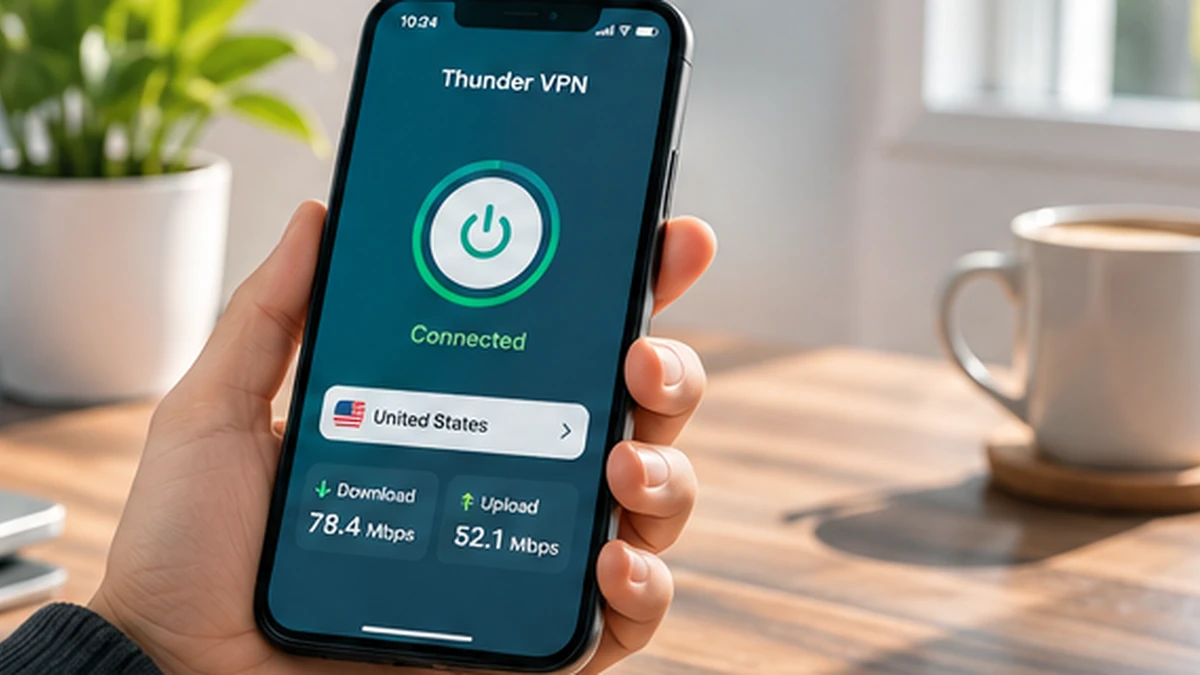
Why Is Thunder VPN Not Connecting? Practical Fixes for Android
Work through these checks in order when the connect button spins or the VPN keeps dropping.
Read article
Thunder VPN Download: Install the Android App from Google Play
Find the right listing, check it carefully and install Thunder VPN on Android in a few minutes.
Read article